


|
Name |
Sound Sampler Lite |
|---|---|
|
Google Play Link |
GET IT ON
Google Play
|
|
Category |
Music & Audio |
|
Developer |
GyokovSolutions |
| Last version | 14.4 |
|
Updated |
|
|
Compatible with |
Android 6.0+ |
Introduction to Sound Sampler Lite APK
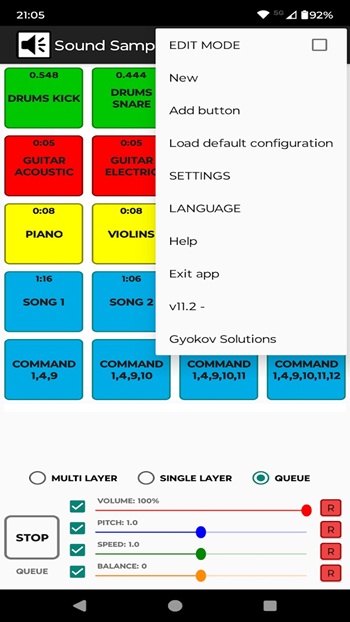
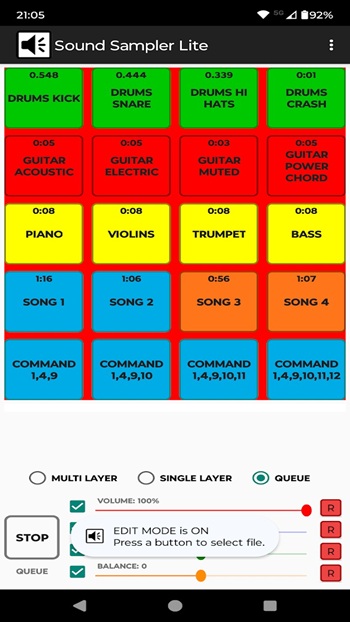
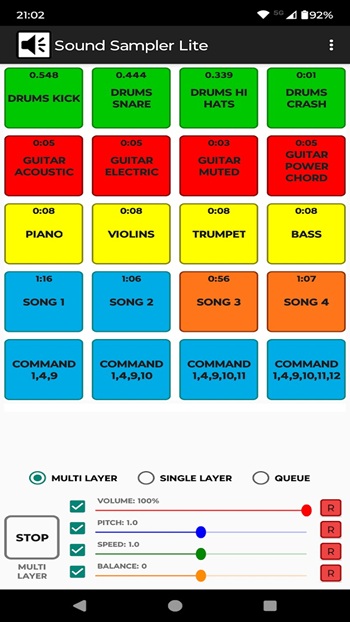
Sound Sampler Lite APK is a soundboard app built for playing custom audio clips from files stored on your device or pulled from online sources. It gives users a simple way to turn sounds, music snippets, voice clips, or short effects into tappable buttons, so everything is easy to trigger in the moment.
The app is mainly used to build a personalized soundboard for practical or casual use. You can assign different media files to different buttons and play them when needed, which makes it handy for podcasts, classroom activities, language practice, music exercises, and quick sound effects during social moments. It fits people who want fast access to audio without digging through folders every time.
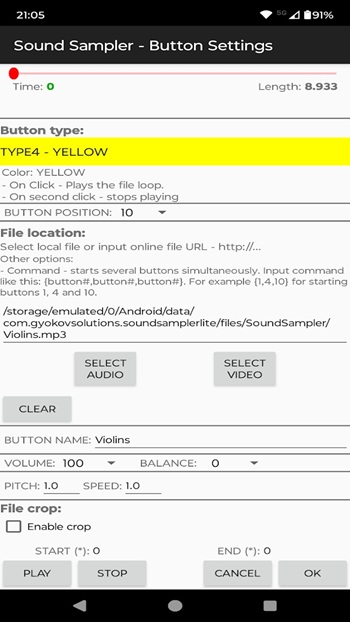
One of its strongest points is flexibility. Sound Sampler Lite lets users work with both sound and video files, then organize clips into playable buttons with different playback options. It also includes controls for volume, speed, and balance, which gives users more say over how each clip sounds. That extra control matters when timing, tone, or pacing needs to feel right.
The cropping tools also add real value. Instead of using a full recording as-is, users can trim a file down to the exact part they need and apply fade in or fade out for smoother playback. That makes the app useful for people who want cleaner sound cues, practice loops, or shorter trigger clips without opening a separate editing app first. It saves time, and that alone can be a small lifesaver.
Sound Sampler Lite works well for users who need audio access in specific situations. A teacher can set up pronunciation examples for students. A musician can assign clips to separate buttons for rehearsal. A podcast host can keep intros, reactions, or jingles ready to play. Someone else might load funny sound effects for parties or group chats that have gone a little too quiet. The app is most useful when fast sound playback matters more than deep studio-level editing.
There are still a few limits to keep in mind. Since the app depends on media files selected by the user, the overall experience partly depends on the quality and organization of those files. New users may also need a little time to set up buttons, trim clips, and arrange sounds the way they want. People looking for a full music production tool may find it too focused on playback rather than advanced editing, but for a customizable soundboard, its feature set makes sense.
FAQs Sound Sampler Lite
What is Sound Sampler Lite?
+
Sound Sampler Lite is a soundboard app that lets users assign audio or video clips to buttons for quick playback from device storage or online sources.
What is Sound Sampler Lite used for?
+
It is used for playing custom sound clips in situations like podcasts, music practice, language learning, teaching, and casual entertainment.
Can Sound Sampler Lite edit audio files?
+
It includes basic editing tools such as cropping clips and adding fade in or fade out, plus playback controls for volume, speed, and balance.
Who should use Sound Sampler Lite?
+
It suits teachers, musicians, podcast creators, language learners, and anyone who wants a simple way to organize and play sound clips quickly.
Does Sound Sampler Lite work well for professional audio production?
+
It is better for soundboard playback and light clip preparation than for full studio editing, so it works best for quick access and simple audio tasks.
Discover More Interesting Apps
-

HiMelody
v1.5.2
63.10 Mb
Updated -
Seeker
v3.8.0
28.15 Mb
Updated -
Mod
Smule
v13.1.5
91.16 Mb
Updated -
Gaana
v8.58.1
81.09 Mb
Updated -
Mod
Musicolet Music Player
v6.14.1 build540
36.49 Mb
Updated -
Mod
JioSaavn Pro
v10.9.2
44.64 Mb
Updated -
Mod
JOOX Music
v9.10.6
190.77 Mb
Updated -
Mod
DJ Mixer
v1.3.0
30.12 Mb
Updated -
Mod
ElevenLabs
v0.0.101
34.00 Mb
Updated -
My Piano Phone
v14.2
50.08 Mb
Updated








Share Your Thoughts